
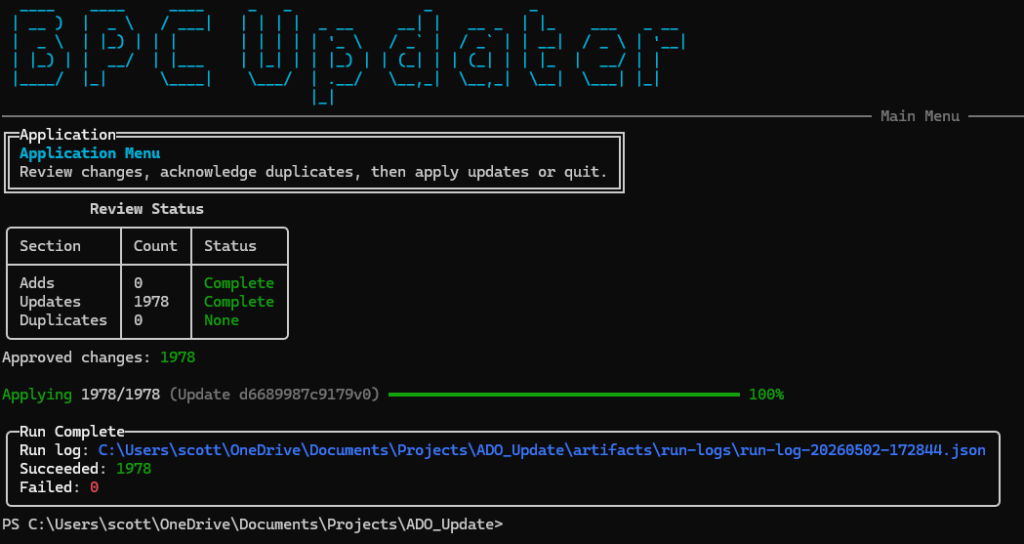
A safer, faster, repeatable way to apply Microsoft’s quarterly Business Process Catalog updates
Microsoft ships updates to the Business Process Catalog on a quarterly basis. The content is valuable, but if you maintain a long lived Azure DevOps backlog, applying those updates can quickly become one of the most painful parts of the process.
For me, it was never just about importing new rows from a CSV. The real work was preserving hierarchy, handling field level changes, avoiding unintended overwrites, and making sure everything was reviewed before touching live work items. Each release turned into a time consuming, error prone exercise that didn’t scale.
That frustration is what led me to build a utility to automate, and safely control, this process.
The Problem I needed to solve
My goal was simple: keep my Azure DevOps backlog aligned with the latest version of the Business Process Catalog without turning every quarterly release into a multi-day cleanup effort.
The old process had several pain points:
- Manually comparing old and new catalog versions
- Deciding what should be added versus updated
- Preserving parent/child relationships across work items
- Fighting formatting difference that created false positives
- Apply changes with no clear review or approval checkpoint
I needed a tool that would speed up the process.
What the Utility Does
This utility reconciles a Microsoft Business Process Catalog CSV with an existing Azure DevOps backlog, using Microsoft ID as the strict match key.
At a high level, it:
- Detects Adds, Updates, and Unchanged items
- Applies hierarchy aware creation order i.e. creates the parents before the children
- Normalizes common field differences to reduce false positives
- Produces execution artifacts for traceability
More importantly, it introduces a deliberate review step before any updates are written.
You can:
- Run the tool in a fully interactive mode
- Use a two step plan → apply workflow for safer change control
- Review exactly what will change before approving it
The result is far more confidence when applying catalog updates to a live backlog.
📌 GitHub Repository:
👉 https://github.com/ScottMGaines/bpc-ado-updater
Why This Matters
This tool fundamentally changes how I perform quarterly catalog releases.
Instead of asking:
“Did I miss anything or overwrite something I shouldn’t have?”
I can now ask:
“Do I approve these specific changes?”
That shift turns a risky, manual reconciliation exercise into a predictable and auditable release workflow.
Quarterly updates are now:
- Faster
- More repeatable
- Easier to review
- Safer to execute
A Better Quarterly Rhythm
With this utility in place, a new catalog release now looks like this:
- Download the Microsoft Business Process catalog spreadsheet.
- Update the file to remove any processes I don’t want. For example, I don’t do anything with Business Central so I remove those processes.
- Update the Area Paths and Iteration Paths in the file.
- Convert the excel spreadsheet into a csv file.
- Launch the tool referencing the csv file.
- Review detected Duplicates, Adds and Updates
- Approve and Apply Changes
- Validate using the run logs
Closing
If you maintain a Business Process Catalog backlog in Azure DevOps, you’ve probably felt the pain of quarterly updates firsthand. Building this utility gave me a practical, sustainable way to modernize that process without sacrificing safety or reviewability.
The project is open and available on GitHub. If there’s interest, I’m happy to share more in follow-up posts, including:
- Architecture decisions
- Field-mapping and normalization strategy
- Lessons learned from real-world catalog edge case
Feedback and contributions are welcome.